Play Raptor: Call of the Shadows online — free shareware episode Works — shareware Episode 1 runs via DOSBox in your browser
Guide updated July 2026 · Runs via DOSBox + WebAssembly
Raptor: Call of the Shadows — Cygnus Studios and Apogee's 1994 vertical shooter, and one of the best-looking DOS games of its year. You fly mercenary missions, then spend the payout in a between-missions shop on absurd weaponry. The shareware episode (Bravo Sector) is hosted here; the full three-sector game is still sold commercially.
D-pad: fly · FIRE: ctrl · SPECIAL: space · ESC: menu
⌨ Keyboard — for menus & name entry
Controls — what does what
| Action | Keyboard | Mouse / touch |
|---|---|---|
| Fly | Arrow keys | Move mouse |
| Fire main gun | Ctrl | Left-click |
| Special weapon | Space | Right-click |
| Menu / back | Esc | — |
| Sound | — | Use the Sound button under the screen to mute |
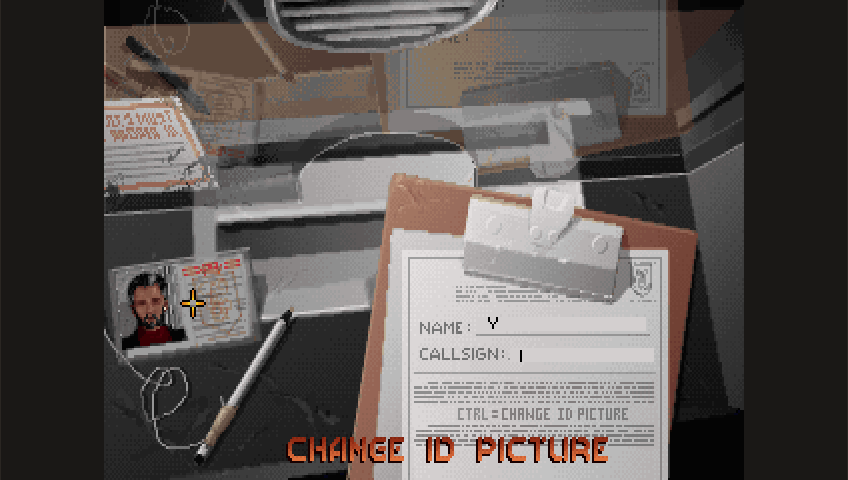
Runs in your browser tab with DOSBox + WebAssembly — nothing is uploaded. Click the screen to capture input; press Ctrl+F10 to release mouse.
About the versions and the licensing. The classic Episode 1 "Bravo Sector" was distributed by Apogee as free shareware and may still be shared freely — but it is an MS-DOS program (it uses the DOS4GW extender), not a Windows .exe. ExeBrowser runs Win32 binaries on Wine, so the DOS shareware will not boot here directly. The only native-Windows build is the 1999 Mountain King re-release, which is commercial (sold for around $15) and is built on DirectX 5 — exactly the kind of thing Boxedwine's old Wine struggles with. Please don't look for "cracked" or "abandonware" copies of the paid versions. If you want the full game, buy it from a legitimate source such as Steam (2015 Edition) or GOG.
How it works & what to expect
The original DOS release runs in a WebAssembly DOSBox build on this page. It's a protected-mode game, so it gets extra memory configured automatically. Buy shields and a second weapon before mission three — the difficulty ramp is steep, and the shop is the whole strategy layer.
Playing tips
Buy shields and a second weapon before mission three; the difficulty ramp is steep and the shop is the real strategy layer. Missions can be replayed for more money, which is the intended way to afford the expensive gear.
Shareware episode — and the full game
Bravo Sector is the complete free shareware episode, distributed under Apogee's original model. Tango and Outer Regions sectors are commercial — Raptor is still sold on Steam and GOG as Raptor: Call of the Shadows (1994 Classic Edition).
Frequently asked questions
Is Raptor legal to play here?
Yes — this is the official shareware episode Apogee distributed freely. The remaining two sectors are commercial and are not included; the full game is sold on Steam and GOG.
What are the controls?
Arrows fly, Ctrl fires, Space launches your special weapon, Esc opens the menu. The mouse flies the ship too, which helps with tight dodging.
How do I get better weapons?
Between missions you spend mission payouts in the shop. Shields and a second gun before mission three make a big difference.
Does my progress save?
Yes — saved pilots and purchases persist in this browser between visits, best-effort.
Can I play on a phone?
Yes, a d-pad with FIRE and SPECIAL appears on touch devices.