We tested 50+ Windows apps in the browser — here's what actually runs
By Andrew Nakas · Published July 1, 2026 · Updated July 1, 2026 · ~10 minute read
"Can I run this .exe in a browser?" is a fair question with an annoying answer: it depends on the program. So instead of hand-waving, we sat down and ran more than fifty classic Windows and DOS programs through the same browser-based runtime — a WebAssembly build of Wine for Windows software, and DOSBox for DOS-era games — and wrote down what happened.
This post is the summary. Every app below has its own guide page with the details, and many play right here in the tab. If you just want the verdict, jump to the full table.
How we tested
Every program was launched in the same sandbox that powers the rest of this site: a 32-bit Wine runtime compiled to WebAssembly for Windows .exe files, a 16-bit "win3x" mode for Windows 3.x-era software, and a DOSBox runtime for anything that's really a DOS program wearing a Windows costume. No native install, no virtual machine, no server doing the work behind the scenes — the emulator runs inside the browser tab itself. (If you want the background on why a browser needs both an emulator and Wine, we wrote that up in Wine vs. an emulator.)
For each app we recorded one of four outcomes:
- ✅ Plays here — hosted on this site with a legally redistributable copy, so it boots in the tab with one click, nothing to download.
- ✅ Works — runs reliably in the runtime; for commercial titles you bring your own legally obtained copy and load it into the sandbox.
- ⚠️ Partial — launches and is usable, but something is off: audio drops out, a dialog crashes, networking is dead, or only an older build cooperates.
- ❌ No — doesn't meaningfully run in the browser today, and we'll tell you why on the guide page rather than pretend otherwise.
The headline numbers
Across the 52 programs with a published guide, the split came out roughly one-third "runs cleanly," a little under half "partial," and a smaller group that simply won't work in a browser sandbox yet. Fourteen of them now have a license-clean payload we host, so they play instantly with nothing to install — up from eleven when this post was first published, as we have kept adding freeware and shareware titles (the site hosts 24 in total today). The apps were an even mix — 26 games and 26 utilities.
A few patterns jumped out, and they're more useful than the raw counts:
- Small, self-contained tools are the safe bet. Text editors, calculators, hex editors, image viewers, classic card games — the plain Win32 stuff with no 3D, no network, and no exotic dependencies — almost always just work. This is the most reliable category by a wide margin.
- "DOS game" is the single biggest trap. Plenty of things people think of as old Windows games are actually DOS games. Our Wine runtime targets Win32 only, so a raw DOS
.exehits a wall (Application tried to enter DOS mode) and black-screens. The fix is either a Win32 source port or the DOSBox runtime — which is exactly how DOOM, Wolfenstein 3D and Tyrian play here. If you're unsure which era a game is from, read 16-bit vs. 32-bit vs. DOS. - Networking and modern 3D are hard "no"s. Anything that needs a live socket (FTP clients, SSH, streaming) or a real GPU (OpenGL/DirectX 3D, video decode, the .NET runtime) is where the sandbox stops. That's not a Wine limitation so much as a browser-sandbox one.
- Audio is the usual "partial." A media player's interface will load happily while its sound output stutters or stays silent. Editing in an audio tool works; real-time playback is the flaky part.
The full table
Verdicts below are generated from the live guide pages and were last synced on 29 July 2026, so they stay in step as games are added or re-tested.
Sorted with the instant-play apps first, then everything that runs cleanly, then partials, then the ones that don't. Click any name for the full guide, compatibility notes, and — where it applies — a "load your own copy" button.
| Program | Type | In the browser | Notes |
|---|---|---|---|
| Wolfenstein 3D | Game | ✅ Plays here | Works — original DOS game runs via DOSBox in your browser |
| 7-Zip | App | ✅ Plays here | Works well |
| DOOM | Game | ✅ Plays here | Free & legal shareware |
| Freeciv | Game | ⚠️ Partial | Plays great — but on Freeciv's own site, not embedded here |
| Freedoom | Game | ✅ Plays here | Works well — pair with a software-rendering port |
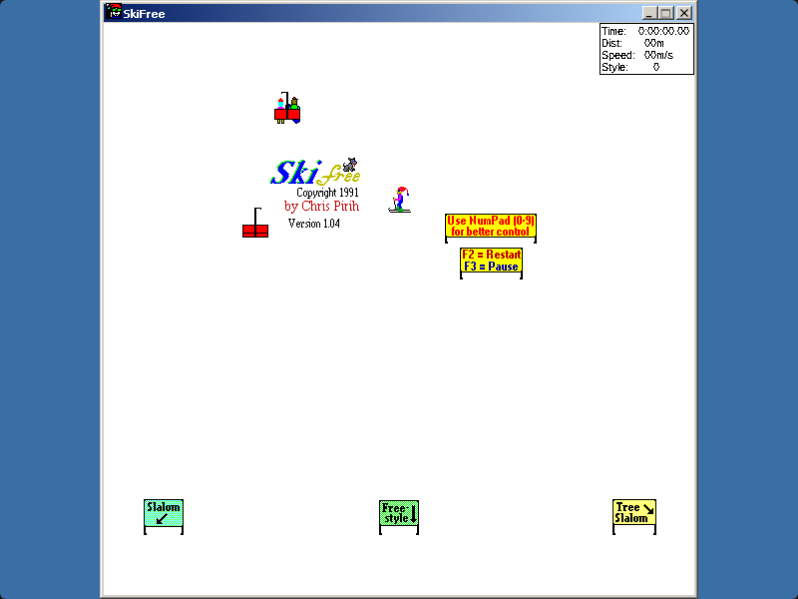
| SkiFree | Game | ✅ Plays here | ▶ Play now — no Windows files needed |
| Sumatra PDF | App | ✅ Plays here | Works well — fast, native Win32 viewer |
| Tyrian 2000 | Game | ✅ Plays here | Works — free freeware classic runs via DOSBox in your browser |
| KeePass | App | ⚠️ Partial | Works — KeePass 1.x only |
| Notepad++ | App | ❌ No | Doesn't start — fails at "Load langs.xml failed" under browser Wine |
| PuTTY | App | ⚠️ Partial | Partial — the UI launches, but SSH/telnet can't connect in-browser |
| AbiWord | App | ✅ Works | Works well |
| Calculator | App | ✅ Works | Works well |
| Chocolate Doom | Game | ✅ Works | Works well — minimalist, no DirectX needed |
| FreeCell | Game | ✅ Works | Runs well — bring your own copy |
| Gnumeric | App | ✅ Works | Works well |
| GrafX2 | App | ✅ Works | Works well (windowed SDL build) |
| Hearts | Game | ✅ Works | Single-player works well |
| Minesweeper | Game | ✅ Works | Runs great — bring your own copy |
| mtPaint | App | ✅ Works | Works well |
| Notepad & utilities | App | ✅ Works | Works well — the most reliable category |
| Rodent's Revenge | Game | ✅ Works | Works well on win3x — bring your own copy |
| Solitaire | Game | ✅ Works | Works well |
| Space Cadet (Open Cadet) | Game | ✅ Plays here | ▶ Play now — no Windows files needed |
| Spider Solitaire | Game | ✅ Works | Classic build works well |
| Age of Empires | Game | ⚠️ Partial | Hit or miss — slow but sometimes playable |
| Audacity | App | ⚠️ Partial | Partial — old 2.x editing only, audio iffy |
| Blake Stone | Game | ✅ Plays here | Works — shareware Episode 1 runs via DOSBox in your browser |
| Character Map | App | ⚠️ Partial | Runs — but fewer fonts than on Windows |
| Chip's Challenge | Game | ⚠️ Partial | Partial — the 16-bit classic runs on the win3x engine; quirky but playable |
| Commander Keen | Game | ✅ Plays here | Works — shareware Episode 1 runs via DOSBox in your browser |
| Dia | App | ⚠️ Partial | Partial — loads, but heavy GTK app starts slowly |
| foobar2000 | App | ⚠️ Partial | Partial — UI loads, audio is unreliable |
| Full Tilt! Pinball | Game | ⚠️ Partial | Partial — the Cadet table can run; launcher, movies and fullscreen are flaky |
| Heretic & Hexen | Game | ⚠️ Partial | Partial — via a Win32 source port, not the DOS original |
| IrfanView | App | ⚠️ Partial | Viewer works; plugins & video iffy |
| Jazz Jackrabbit | Game | ⚠️ Partial | Partial — original is DOS; play via OpenJazz (Win32) |
| JezzBall | Game | ⚠️ Partial | Runs in the 16-bit (win3x) runtime — bring your own copy |
| MS Paint | App | ⚠️ Partial | Classic builds work — bring your own copy |
| OMF 2097 | Game | ✅ Plays here | Works — official freeware release runs via DOSBox in your browser |
| Prince of Persia | Game | ⚠️ Partial | Partial — not the DOS original; the free SDLPoP port is the realistic path |
| Raptor | Game | ✅ Plays here | Works — shareware Episode 1 runs via DOSBox in your browser |
| Winamp | App | ⚠️ Partial | Partial — UI yes, audio is iffy |
| WinRAR | App | ⚠️ Partial | Works with older 32-bit builds |
| WordPad | App | ⚠️ Partial | Partial — basic RTF editing works, .doc garbled |
| Blender (classic) | App | ❌ No | Won't work — 3D viewport needs OpenGL |
| FileZilla | App | ❌ No | Can't connect — no network in the sandbox |
| Inkscape | App | ❌ No | Heavy — GTK engine fights Wine, expect crashes |
| KeePassXC | App | ❌ No | Won't run — 64-bit Qt5 app |
| Paint.NET | App | ❌ No | Won't run — needs the .NET Framework |
| Scorched Earth | Game | ✅ Plays here | Works — shareware release runs via DOSBox in your browser |
| VLC | App | ❌ No | Open-source & legal, but video playback won't work well |
What the "no" column has in common
The programs that don't run aren't random. Group them and the same three blockers explain nearly all of them:
- Real GPU work. Blender's 3D viewport, Inkscape's heavy GTK canvas, and video decoding in VLC all lean on graphics acceleration the sandbox can't provide. 2D drawing is fine; hardware 3D and video are not.
- The network. FileZilla has nothing wrong with it — there's just no live socket to the outside world inside a browser tab, so an FTP client has nothing to talk to. Same reason PuTTY only gets a "partial."
- Modern runtimes. Paint.NET needs the full .NET Framework; KeePassXC is a 64-bit Qt5 app. Our 32-bit Wine runtime can't host those, though the experimental 64-bit runtime is where that story continues.
None of these are permanent verdicts — they're where the current browser sandbox draws its line. As the runtimes improve, some of these will move columns, and we'll update the table when they do.
If you just want something that works right now
Start with the instant-play group at the top — SkiFree, Open Cadet (our open-source Space Cadet), DOOM, Wolfenstein 3D — they boot in the tab with nothing to install. For utilities, the classic Notepad-class editors, 7-Zip and Sumatra PDF are the most dependable. Everything else in the "✅ Works" rows runs cleanly once you load your own copy of the program.
Browse the whole set on the app guides page, and if you have an app you'd like us to test, the contact page is the place to ask.